Skip to content
View in the app

A better way to browse. Learn more.

rollaclub.com

A full-screen app on your home screen with push notifications, badges and more.

To install this app on iOS and iPadOS
  1. Tap the Share icon in Safari
  2. Scroll the menu and tap Add to Home Screen.
  3. Tap Add in the top-right corner.
To install this app on Android
  1. Tap the 3-dot menu (⋮) in the top-right corner of the browser.
  2. Tap Add to Home screen or Install app.
  3. Confirm by tapping Install.

-=ChRiS=-

Members
  • Joined

  • Last visited

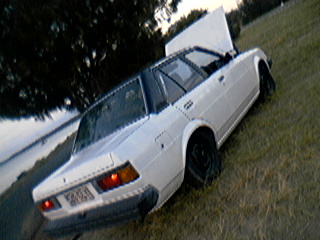
  1. a ke70 with jap lights deep dish ssr's sr20det you all know the rest hmmmm I'm in love. chris
  2. :faq: i swaer that is my old rolla haha. where bouts did you see this beast?? pics of my old rolla
  3. -=ChRiS=- replied to Josho's topic in Rollaclub Rides
    very very nice what type of webber is that?? an how much do they sell for second hand?? thanks chris
  4. very nice rolla looks really clean need to be lowered badly though can see the body roll something cronic haha chris
Account

Navigation

Search

Search

Configure browser push notifications

Chrome (Android)
  1. Tap the lock icon next to the address bar.
  2. Tap Permissions → Notifications.
  3. Adjust your preference.
Chrome (Desktop)
  1. Click the padlock icon in the address bar.
  2. Select Site settings.
  3. Find Notifications and adjust your preference.