
Leaderboard


 Global Moderator
Popular Content
Showing content with the highest reputation on 09/12/18 in all areas
-
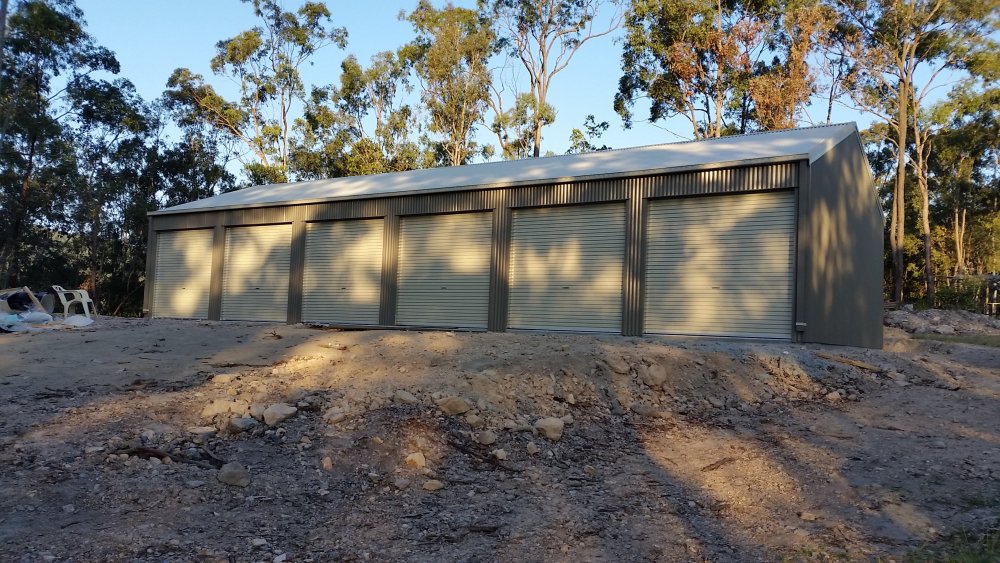
1 pointWell I don't like to brag but this time I can't help myself. The Garagmahal is finally complete. Just a bit of a shack to store the Princess' rolla and all the family cars with a bit of room for a long overdue work space. No more laying in a gravel driveway swapping a gearbox for me. I am currently in the process of linning it with a bathroom and kitchen as well as living and sleeping quarters. You see fellas this time I got smart, I bought the land, I got the shed before the house so if I run out cash ooops sorry no fancy kitchen instead of too bad not enough coin for a decent shed. We will be living in it until the house is built then its mine to do with as I please. I was even thinking of getting my own project rolla as well as looking after the Princess' KE55 but we will see. #Rollahouse
 1 point
 -
1 pointThat's awesome. You shouldn't have told people about the pineapple tins. You could have started a business and retired on the proceeds! Great to hear it is running so well. As a boy, dad and I used to do an annual Melbourne - Labrador - Melbourne trip and his KE20 just ate up the kilometres along the old back route through Dubbo, Goondawindi etc. Good times1 point

