-
Ke1x Members Page
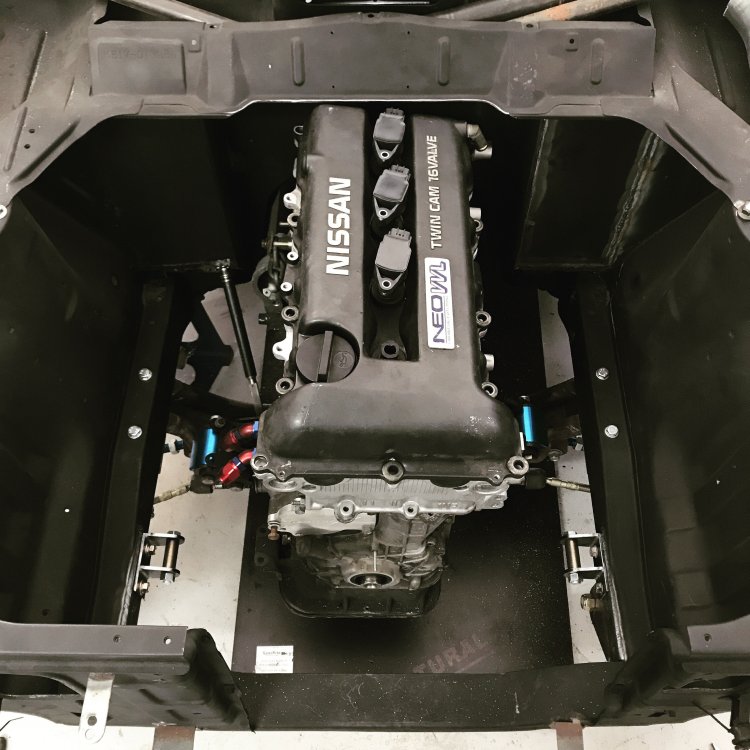
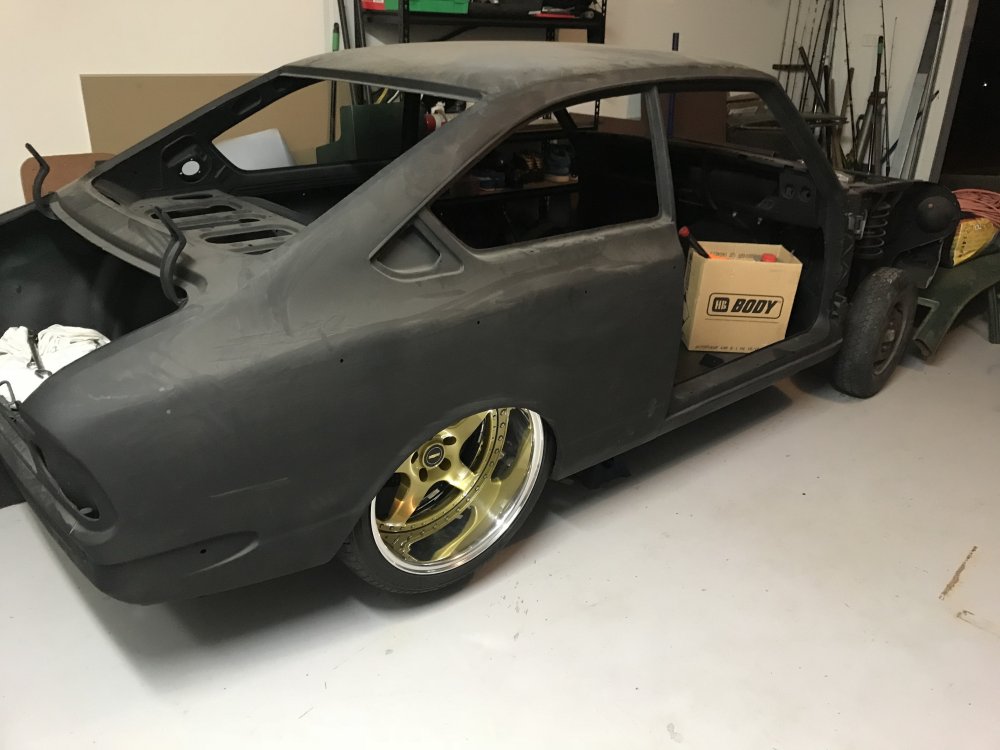
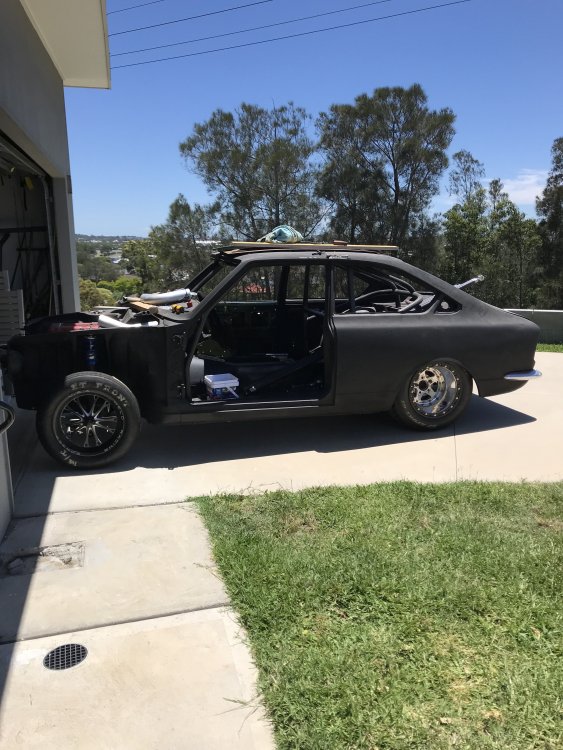
[B]Name[/B]: Duke [B]Car[/B]: Ke17 Sprinter [B]Motor & Driveline[/B]: Sr20vet followed with T400 automatic & Hilux diff [B]Suspension & Brakes[/B]: R33 front disc with ford calipers [B]Wheels & Tyres[/B]:fr19 Simmons [B]Interior[/B]: tba [B]Body[/B]: fully custom [B]Other[/B]: joining the elite ke corolla club 💪🤘👨🏻🔧🔥 *Put pictures here*
-
Dukespeeds New Ke17 Tubbed Street Car Coming Soon
- Dukespeeds New Ke17 Tubbed Street Car Coming Soon
Though I might post up few pictures since I haven't been on this forum in over 10yrs now.. Enjoy this is my sprinter I purchased from Canberra last dec I've had it rego an drive it every day I'm not working away. I took it off the road for 3 days to completely remove the rear half of the floor pan and wheel tubs to allow for the new 18x10" fr18 Simmons wheels and drag rims- Dukespeed Racing Ke15 3/4 Chassis In The Build
I'll be posting pics up soon guys of my alcohol injected 13b turbo 3/4 chassis G-Force clutch less 5 speed transmission full floating 9" sheet metal diff 40spline fun drilled axles. Spindle mount front V-series wheels. - Dukespeeds New Ke17 Tubbed Street Car Coming Soon
Dukespeed
Members
-
Joined
-
Last visited
Account
Navigation
Search
Configure browser push notifications
Chrome (Android)
- Tap the lock icon next to the address bar.
- Tap Permissions → Notifications.
- Adjust your preference.
Chrome (Desktop)
- Click the padlock icon in the address bar.
- Select Site settings.
- Find Notifications and adjust your preference.
Safari (iOS 16.4+)
- Ensure the site is installed via Add to Home Screen.
- Open Settings App → Notifications.
- Find your app name and adjust your preference.
Safari (macOS)
- Go to Safari → Preferences.
- Click the Websites tab.
- Select Notifications in the sidebar.
- Find this website and adjust your preference.
Edge (Android)
- Tap the lock icon next to the address bar.
- Tap Permissions.
- Find Notifications and adjust your preference.
Edge (Desktop)
- Click the padlock icon in the address bar.
- Click Permissions for this site.
- Find Notifications and adjust your preference.
Firefox (Android)
- Go to Settings → Site permissions.
- Tap Notifications.
- Find this site in the list and adjust your preference.
Firefox (Desktop)
- Open Firefox Settings.
- Search for Notifications.
- Find this site in the list and adjust your preference.