Skip to content
View in the app

A better way to browse. Learn more.

rollaclub.com

A full-screen app on your home screen with push notifications, badges and more.

To install this app on iOS and iPadOS
  1. Tap the Share icon in Safari
  2. Scroll the menu and tap Add to Home Screen.
  3. Tap Add in the top-right corner.
To install this app on Android
  1. Tap the 3-dot menu (⋮) in the top-right corner of the browser.
  2. Tap Add to Home screen or Install app.
  3. Confirm by tapping Install.

ae71neo

Senior Member
  • Joined

  • Last visited

  1. ae71neo replied to ae71neo's topic in Rollaclub Rides
    Awesome thanks man.
  2. ae71neo replied to ae71neo's topic in Rollaclub Rides
    Is it the drift school/skid pan pics?
  3. It looks like a nice base for you to work some magic on. Nice one!
  4. ae71neo replied to ae71neo's topic in Rollaclub Rides
    Which other mags? Ive heard its in a HPI but not sure of the issue. Thanks Jesse :P
  5. ae71neo replied to ae71neo's topic in Rollaclub Rides
    Fast fours a couple of months back
  6. ae71neo replied to ae71neo's topic in Rollaclub Rides
    Yep, still alive and kicking!
  7. ae71neo replied to ae71neo's topic in Rollaclub Rides
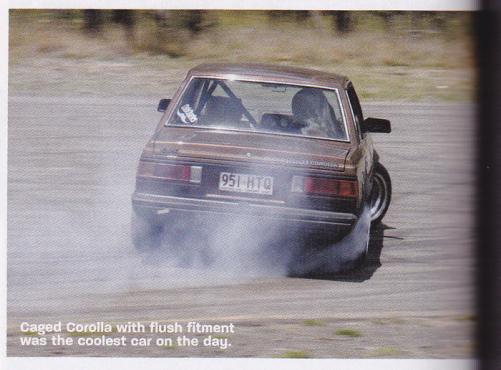
    Wow, its been so long. Here is some updates in picture form: Picture overload. As you can see its been track day after track day. And videos: http://www.vimeo.com/4092816 I'm in these: http://www.youtube.com/watch?v=mYCP5TNXPHQ
  8. Oh cool. What sort of turn out do these usually get?
  9. I'm coming to see it when I'm in Brisbane next (a month and a bit)
  10. Might come. Thats out my way.
  11. I'm out, driving up from sydney at that time!
  12. I could be in, date pending.
  13. I should have mentioned, its a drift setup. For a street/hills setup, i would run 6/4. I'm running 7kg front and 6.5kg rears. I will be getting some 8kg for my coilovers eventually. And then swaybars, cator rods, 4 link etc.
  14. 8kg front 6kg rear. Bit bumpy for everyday driving, but good for the track. Track is where you don't wanna be let down by suspension.

Account

Navigation

Search

Search

Configure browser push notifications

Chrome (Android)
  1. Tap the lock icon next to the address bar.
  2. Tap Permissions → Notifications.
  3. Adjust your preference.
Chrome (Desktop)
  1. Click the padlock icon in the address bar.
  2. Select Site settings.
  3. Find Notifications and adjust your preference.